ORIGINAL GAME ART GALLERY
Sprite Sheet
Examples
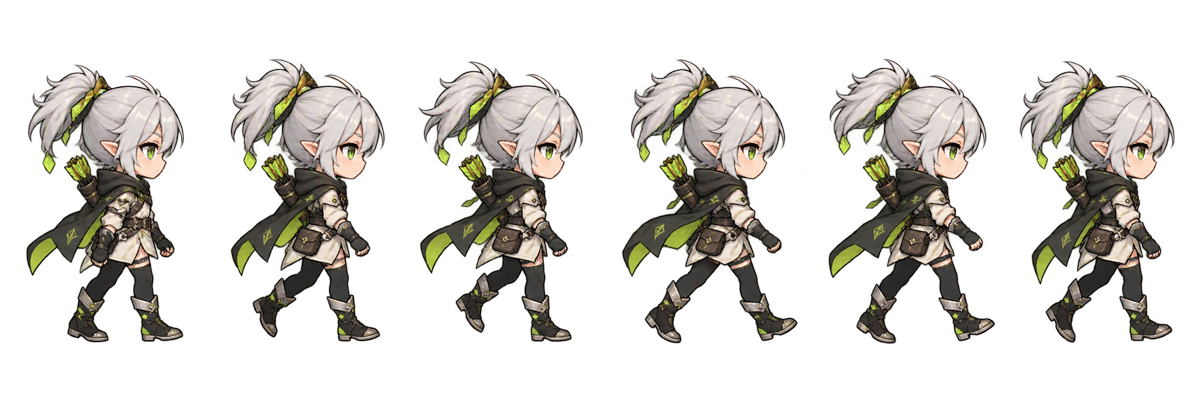
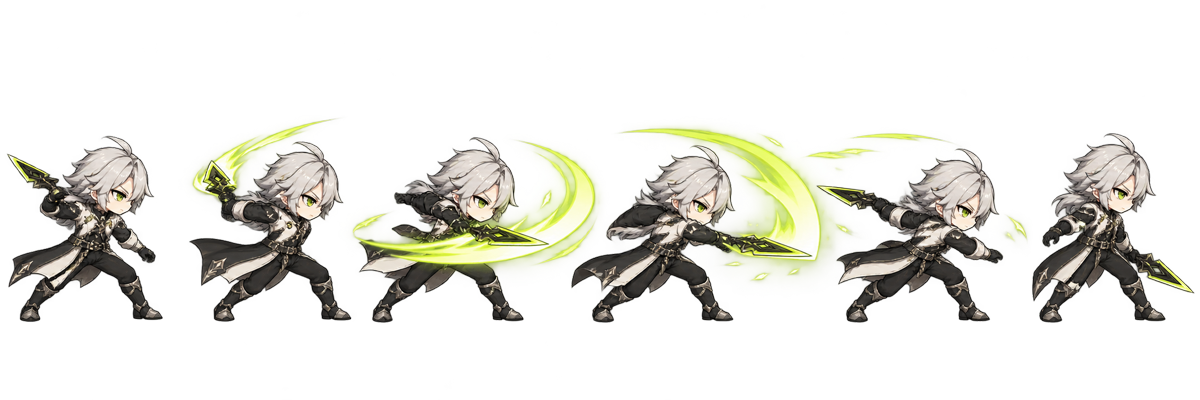
Compare walk, run, attack, idle, jump, conversion, and 16-frame layouts made from original project art.
FEATURED 16-FRAME WORK
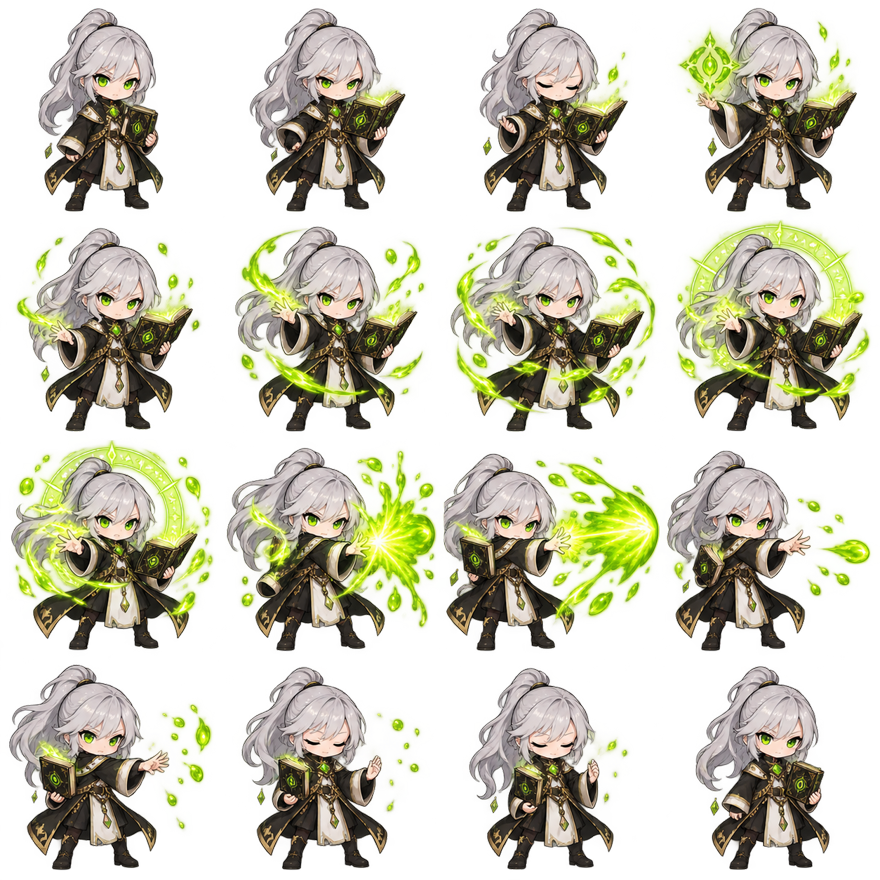
Magic cast in motion.
FRAME 0 / 0
Extract frames to preview the animation.



GIF Conversion
Selected Frames / Adaptive Grid
Recover a shareable animation for game use
Open workflowGALLERY NOTES
How to Read Sprite Sheet Examples
A useful example shows more than a grid. Check frame order, cell dimensions, character scale, baseline, transparent room, effect growth, and the loop seam. The sprite sheet examples above use project-owned silver-mage assets and link to real creation, conversion, cutting, or preview workflows.
Begin with layout. A horizontal strip makes chronology obvious and works well for a short walk or run. A four-by-four grid packs sixteen frames into a square texture that is easier to preview at a large size. Neither layout makes the animation better by itself. Rows and columns only define where a player finds each image.
Then study spacing inside the cells. The character does not need to touch every boundary. Transparent room allows a weapon, jump, or magic effect to grow without forcing the camera to change. Good game sprite sheet examples keep the subject at a consistent apparent scale even when individual poses occupy different amounts of the cell.
Finally play the sequence. A static sheet can hide a repeated drawing, wrong cell, drifting baseline, or size change. Each showcase links to a real tool so the grid can be evaluated as motion.
Walk, Run, Idle and Jump Cycles
Walk and run cycles share locomotion principles but need different spacing. A walk normally includes contact, down, passing, and up positions for both legs. A run introduces a flight phase and larger changes between poses. Compare the walk and run sprite animation examples at the same FPS: the artwork and temporal spacing, not merely the playback speed, create the difference.
Idle motion should support the character instead of distracting from it. A small shift in breathing, cloth, hair, or light can keep the screen alive. The Idle Study card uses a key-frame sample rather than pretending one static source is a downloadable full asset. Build a final idle sheet by selecting related poses, keeping feet fixed, and previewing a slow loop.
A jump is usually not a seamless loop. Its useful phases are anticipation, takeoff, ascent, apex, fall, and landing. The Jump Study points to the maker because a developer often selects or redraws key moments before packing them. In a game, code may hold the ascent or fall frame until physics reaches the next state.
These character sprite sheet examples are demonstrations, not a character marketplace. Their purpose is to reveal structure and connect it to the tool that performs the next action. You can bring your own authorized frames into the maker and reproduce the layout without downloading or copying the showcased character.
Attack and Magic Animation Examples
An attack benefits from clear anticipation, a fast contact phase, and recovery. The attack strip makes that line easy to scan. Large position gaps around the strike imply speed, while a held anticipation frame builds weight. Use the animator to try the same frames at several rates before deciding that more drawings are necessary.
Magic combines body motion with an effect that changes size and brightness. The 16-frame magic example preserves room around the character so the lime arc can grow without clipping. It also shows why all cells use one maximum frame size: trimming each pose independently would make the character and effect jump around during playback.
Complex effects are where grid errors become obvious. A one-pixel spacing mistake can pull a bright fragment from the next cell. A background mistaken for transparency can create a flashing square. Open the numbered cutter overlay when a downloaded or generated sheet needs exact inspection, then use the selected-frame ZIP for cleanup.
Attack and magic are also harder AI actions. Weapons, hands, long hair, and particles give a model more details to change between cells. The AI generator describes that limitation and is best used for prototypes, animation references, or concept work. The game sprite sheet examples here demonstrate a review process, not a promise of automatic production art.
Conversion and Extraction Examples
A GIF conversion example begins with an already-timed animated file. The decoder reconstructs complete frames from patches, transparency, delay, and disposal instructions before packing them. Use the timeline to remove a lead-in, closing duplicate, or every other frame. The resulting PNG becomes a controllable game texture rather than a self-playing document image.
A video extraction example samples a time range at a chosen FPS. It can create motion reference, rapid prototypes, stop-motion sprites, or effect studies, but it preserves the camera, background, and compression present in the source. Estimated Frames protects the browser from accidentally turning a long 24 FPS clip into hundreds of canvases.
The 16 frame sprite sheet example represents the other direction: individual frames are deliberately arranged into a fixed four-by-four contract. That contract works for the homepage preset and the AI output review. It makes row-major order, baseline, and cell consistency visible, while still allowing the animation to use a different runtime FPS.
Use these sprite sheet examples as diagnostic patterns. Identify whether your task begins with image frames, an animated GIF, a video, an existing grid, or a character concept. Then open the matching tool. The site does not ask one bloated editor to perform every job; shared frame and grid engines connect focused pages in one pipeline.
Build from the examples.
Questions,
answered.
Are these sprite sheet examples free game assets?
No. This is a product showcase and learning collection, not a downloadable character library. The visuals are original project assets used to demonstrate layouts, motion, conversion, and review workflows.
What makes good sprite sheet examples?
They should show clear order, consistent cells, stable scale and baseline, enough transparent room, and motion that can be previewed. Useful metadata includes frame count, layout, action, and intended use.
Why do sprite sheet examples use strips and grids?
Strips make short order easy to scan. Grids pack more frames into a balanced texture. Runtime import needs correct rows and columns; animation quality depends on the drawings and timing.
Can I recreate sprite sheet examples with my own frames?
Yes. Open the homepage maker, upload authorized PNG, JPG, or WebP images, reorder them, choose a layout, preview motion, and export PNG locally.
Which sprite sheet examples explain 4×4 layouts?
Open the 16 Frame Sprite Sheet example for a large grid, animation preview, all sixteen numbered cells, baseline, padding, transparency, and practical setup guidance.
Can I preview sprite sheet examples at another FPS?
Yes. Open the linked animator and upload a sheet. The player supports FPS, stepping, loop, reverse, ping-pong, and multiple preview backgrounds.
Do sprite sheet examples use copyrighted characters?
No. The showcase does not use Sonic, Mario, Pokémon, or another existing game or anime property. It uses the project’s original silver-haired fantasy character.
Which sprite sheet examples should I follow first?
Use a strip for a short simple cycle and the 4×4 example for a complete sixteen-frame action. Match the example to your real frame count and engine importer rather than copying dimensions blindly.